Login Page
URL: /index.html
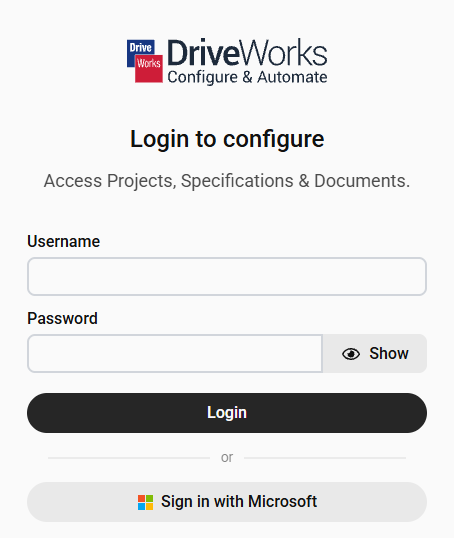
The Integration Theme Live UI contains the following pages by default.
URL: /index.html
URL: /projects.html
The projects page lists all the projects the logged in user can create specifications from.
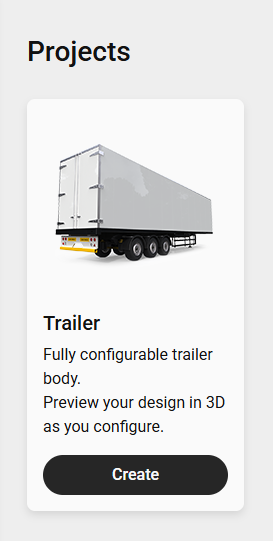
URL: /driveapps.html
The driveapps page lists all the driveapps the logged in user can run.
URL: /run.html?project=ProjectName
While the project is loading the URL will change to include the specification id, for example:
URL: /run.html?project=ProjectName&specificationId=9999
Spaces in projects names will be replaced with %20.
Other URI reserved characters will also be encoded as necessary.
URL: /history.html
Once logged into the site append the URL above to the main site address or click the History link from the menu.
The History page lists all specifications the logged in user is authorized to view.
Apply a filter to filter the view by specification name
For example, enter 3 to display all specifications where the name contain the number 3.
Toggle between sorting all specifications in view by Newest First or Oldest First (last edited date).
Toggle between displaying or hiding any archived specifications.
Archived specifications are hidden by default.
Click Show Archived to display archived specifications. Once selected the same button will display Hide Archived.


Will expand the details for all specifications in view.
The details of individual specifications can be expanded by clicking the arrow on the entry for the specification.
Will load any relevant specifications made since the page was initially loaded.
Toggle the current view between:
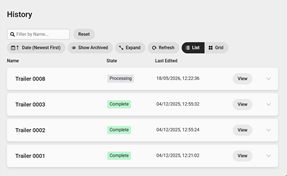
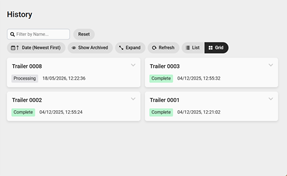
URL: /details.html?specificationName=SpecificationName
Spaces in specification names will be replaced with %20.
Other URI reserved characters will also be encoded as necessary.
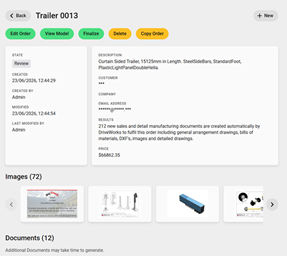
The details page loads when a specification is completed or when a specification is selected from the history page.
It displays all information about the specification, including:
URL: /command/index.html
URL: /settings.html
The settings page is available to Administrators only.
It gives access to all Group and Site Configuration settings and all Appearance settings for the site.
See Live UI Settings for more information.