Example 1 - Using a single value
Property Value
2
Or
2px
A value of 2px will be applied to the top, right, bottom and left padding.
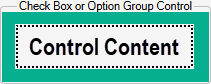
Specifies the padding around items in the group.
Padding will control:
Property Type:  Static
A Static property can be made Dynamic (to control the value from a rule).
See Change a Static Property to a Dynamic Property.
When the control is added the Default Value of this property will be set to Auto.
Auto will equate to the following, depending on the value of the Show Border property.
To change the default Static value:
Ensure the property is a static property (It will display the gray orb alongside the property name).
The default value of the static property can be changed by:
To build a rule to control the value:
See Build a Rule for the Dynamic Property.
When referencing the value of the property the following Hierarchical Reference is applied to the control:
Property Value
2
Or
2px
A value of 2px will be applied to the top, right, bottom and left padding.
Property Value
2 5
Or
2px 5px
Or
2|5
A value of 2px will be applied to the top and bottom paddings and a value of 5px will be applied to the right and left paddings.
Property Value
2 5 10
Or
2px 5px 10px
Or
2|5|10
A value of 2px will be applied to the top padding, a value of 5px will be applied to the right and left paddings and 10px will be applied to the bottom padding.
Property Value
2 5 10 1
Or
2px 5px 10px 1px
Or
2|5|10|1
A value of 2px will be applied to the top padding, a value of 5px will be applied to the right padding, 10px will be applied to the bottom padding and 1px will be applied to the left padding.
Value set in Form Designer. Static properties can be made Dynamic by double clicking the gray radio button.